
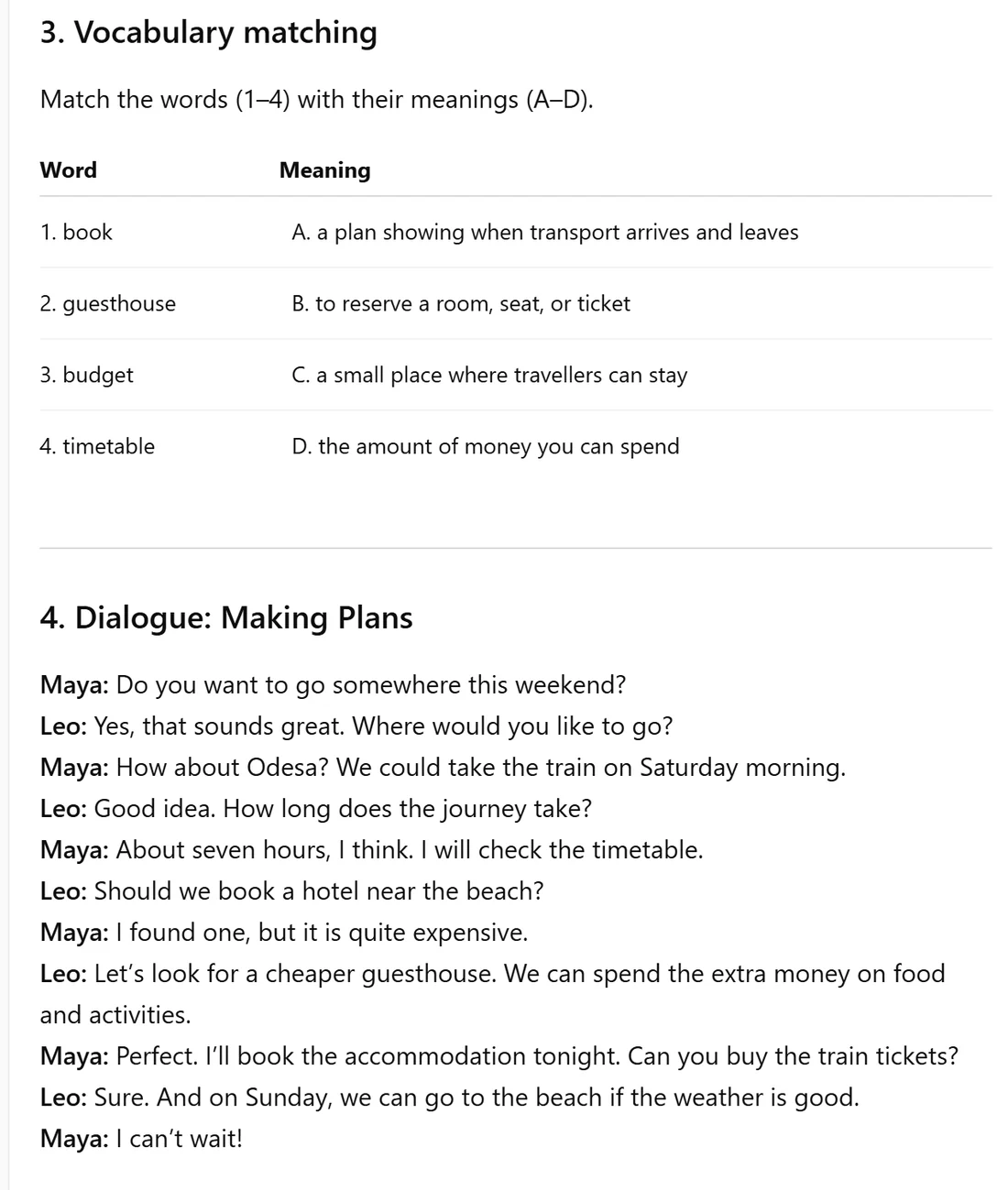
Original · ChatGPT
Matching pairs and dialogue as text
ChatGPT wrote four vocabulary pairs and a dialogue between Maya and Leo. The content is useful, but there is nothing for a student to match, play, complete or submit.
Paste a lesson you created in ChatGPT—or skip that step and simply describe a topic. MakeLesson creates an interactive draft with the answers configured. Refine it through chat, then share one link with every student.
One link · separate student attempts · no student login
We asked ChatGPT for a complete B1 lesson about planning a weekend trip. Then we copied its response into MakeLesson without rewriting the content. The interactive version was generated in less than 30 seconds.
ChatGPT wrote four vocabulary pairs and a dialogue between Maya and Leo. The content is useful, but there is nothing for a student to match, play, complete or submit.
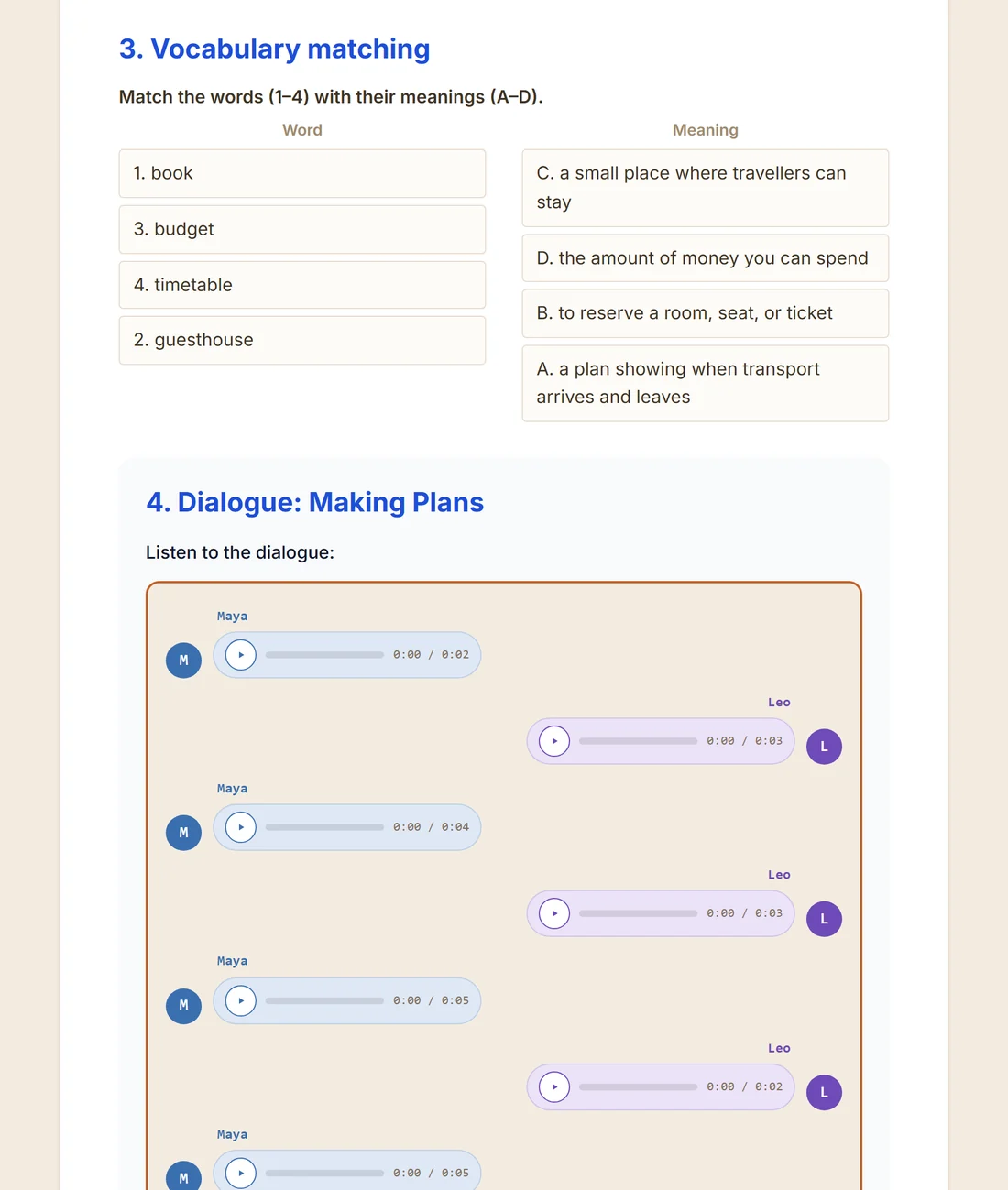
MakeLesson kept the same pairs and eleven dialogue turns, shuffled the matching choices, connected the correct answers, and generated separate audio for Maya and Leo.
ChatGPT creates lesson content. MakeLesson turns that content into an interactive assignment and carries it through to student feedback.
It can write the content: questions, instructions, answer keys, matching pairs and dialogue scripts. But the result is still text. MakeLesson turns it into working interactive exercises with the correct answers already configured.
ChatGPT can share the content as a chat or document, but that is not an assigned lesson. With MakeLesson, you send one link and every student gets a separate attempt on any device—no login required.
It can discuss answers inside separate chats, but it does not give you a class submissions workflow. MakeLesson collects every student's work, checks objective answers, and lets you review and leave personal feedback.
The difference in one sentence: ChatGPT creates lesson content. MakeLesson turns that content into an interactive assignment with individual student attempts, saved drafts, collected submissions and teacher feedback.
The whole workflow starts with the lesson content you already created.
Copy the result from ChatGPT, or upload your text, image, PDF or scan.
MakeLesson creates interactive tasks and configures the correct answers.
Each student gets their own attempt on any device, with no login required.
Open each submission and leave feedback that is personal to that student.
The tools solve different parts of the job. ChatGPT writes content. MakeLesson makes that content teachable, assignable and reviewable.
| Teaching step | ChatGPT | MakeLesson |
|---|---|---|
| Starting material | A prompt, conversation or files supported by ChatGPT | A topic, pasted text, PDF, scan or photo of a page |
| Lesson creation | Writes questions, instructions, answers, matching pairs or dialogue text | Turns the content into working interactive exercises with the correct answers configured |
| Editing | Edit by chatting or work in Canvas | Edit by chatting or change text and answers directly |
| Matching and dialogue | Can write matching pairs and a dialogue script as text | Creates a matching activity students interact with and a playable dialogue with distinct voices |
| Student delivery | The generated content still needs to be turned into an assignment | One lesson link for the whole class; no student account or installation |
| Student experience | Content inside a general AI conversation | Each student gets a separate attempt that works on phone, tablet or computer |
| Save and continue | No teacher-managed lesson draft for each student | Students can save a draft and complete the lesson later; a free account enables continuing on another device |
| Automatic checking | Can reason about answers when prompted in a conversation | Checks objective answers as part of the lesson submission workflow |
| Collected submissions | No per-student teacher submissions dashboard | Every submission, answer and review status in one teacher dashboard |
| Personal feedback | No assignment review flow connecting the teacher's feedback to each student's work | Review every student separately and leave comments on individual answers |
| Student account | Needed for a student to create and keep their own conversation copy | Not required to complete or submit a lesson |
You can skip the drafting step in ChatGPT completely. Tell MakeLesson what topic, level and kind of practice you need, and it creates the interactive draft itself. If you already made the content in ChatGPT, simply copy and paste it instead.
Describe a topic or teaching idea, paste a ChatGPT result, or upload text, a PDF, scan or photo.
MakeLesson builds the interactive draft. Then ask for changes exactly as you would in ChatGPT—but here the chat changes the real exercises, answers, layout, images and audio.
Every student gets their own attempt. They can save a draft, return later and submit when ready.
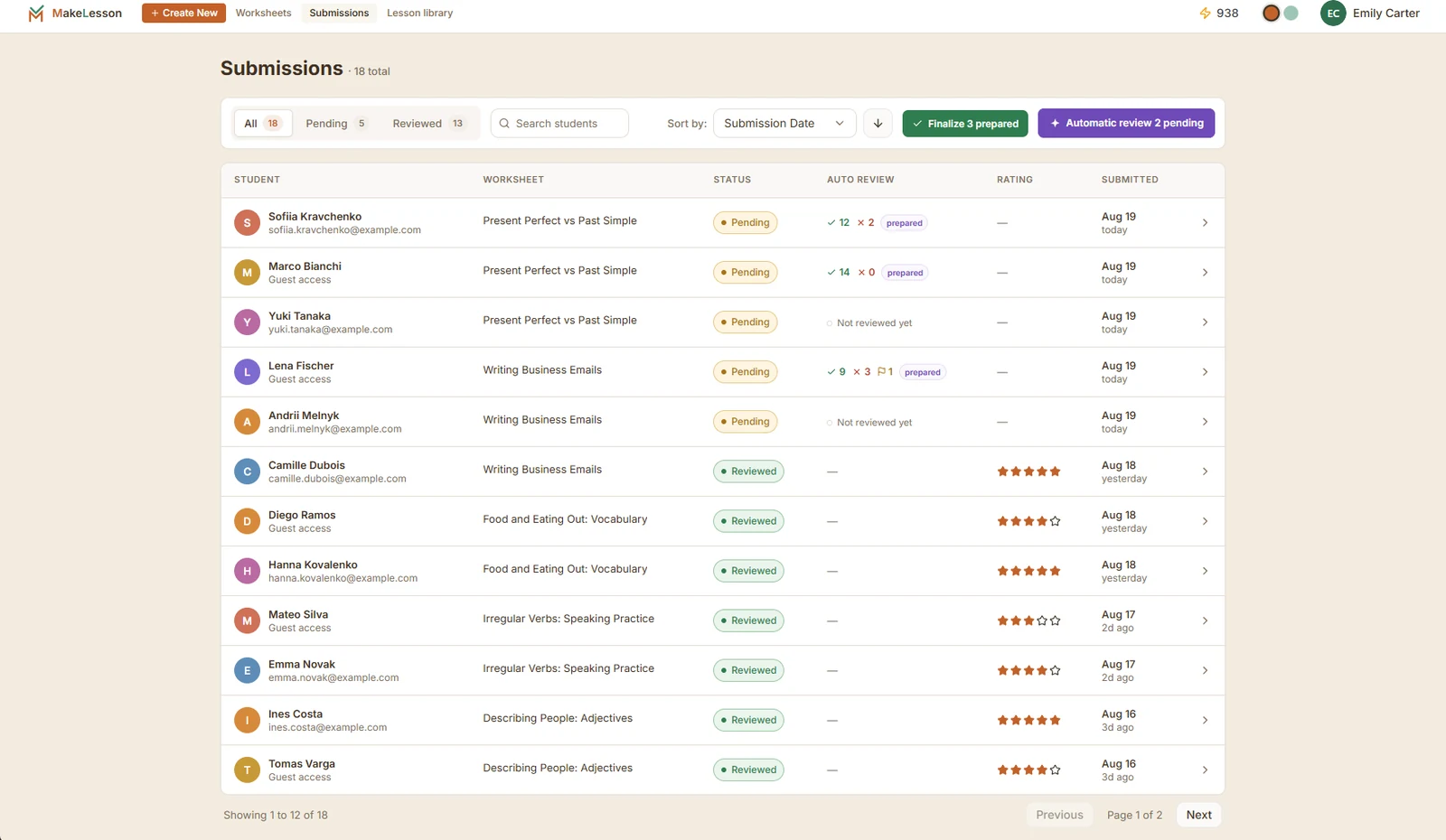
Objective answers arrive checked. Open each student's work, change correctness when needed, comment on individual answers, set a rating and send personal feedback.
It can write worksheet content: questions, instructions, answer keys, matching pairs and dialogue scripts. Paste the result into MakeLesson to turn the text into working interactive exercises.
Copy the lesson from ChatGPT into MakeLesson and make it interactive. Then send the MakeLesson link to the whole class. Every student gets a separate attempt and their work comes back to you.
ChatGPT is not a per-student assignment and review system. MakeLesson collects each student's submission separately, checks objective answers and gives you one place to review the work.
No. They open the same lesson link and get their own attempt. They can save a draft and return later on the same device. A free account is optional and enables continuing across devices.
No. Ask MakeLesson directly for a lesson on any topic or teaching idea. It creates an interactive draft with the exercises and answers configured. You can then keep refining the actual lesson through chat.
Yes. Simply copy the result and paste it into MakeLesson. You can ask MakeLesson to create gaps, matching, multiple choice, listening, multi-speaker dialogue, writing and other activities from it.
Yes. Every lesson has an A4 print layout, and its on-screen instructions are rewritten for paper.
You review the lesson before sharing it. Change text and answers by hand or tell the editor what to fix. Nothing reaches students until you send the link.
Yes. Open an individual submission, review its answers, comment on specific responses, set a rating and finalize feedback for that student.
ChatGPT sharing behavior checked 19 August 2026 against OpenAI's official shared-links documentation. The comparison above refers to the standard ChatGPT and MakeLesson teaching workflows; features change, so check the official documentation for current ChatGPT behavior. ChatGPT is a trademark of OpenAI. MakeLesson is not affiliated with or endorsed by OpenAI.
Describe a topic or paste existing content, refine the interactive draft through chat, and send one link to all your students.
For private tutors, our tutor management software adds a lesson calendar and payments.